Connect and run the Automation Inventory.
Runs read-only checks through your active Salesforce browser session. Free on-screen summary first. The full $149 XLSX workbook is optional and yours to keep.
First time? Save the bookmarklet once.
Drag this button to your browser’s bookmarks bar. Do not click it here — dragging is what saves it.
This creates a browser bookmark only. Nothing is installed in Salesforce, and nothing is downloaded to your computer.
Bookmarks bar hidden? Windows: Ctrl+Shift+B · Mac: Cmd+Shift+B
Free on-screen summary · Full XLSX report: $149
How to add the bookmarklet
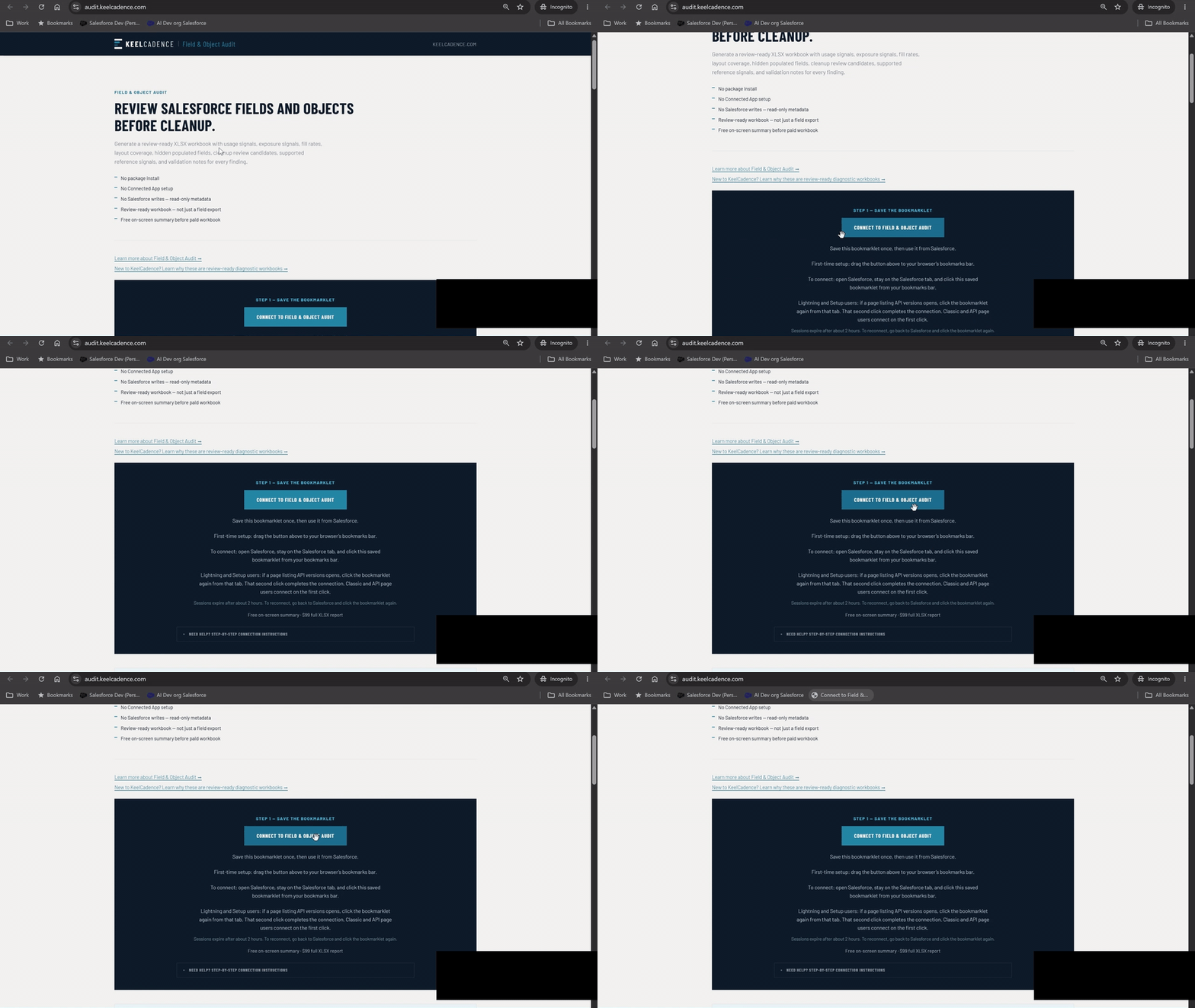
Then connect in 3 steps
- Open Salesforce in another tab.
- Click the saved bookmarklet from Salesforce.
- If Salesforce opens the XML/API page (Lightning users), stay on that Salesforce page. Then click the same saved KeelCadence bookmarklet in your browser’s bookmarks bar again. Do not click anything on the XML/API page itself. Classic and Setup users connect on the first click.
Sessions expire after about 2 hours. To reconnect, go back to Salesforce and click the bookmarklet again.
On a phone or tablet? Bookmarklets need a desktop browser. Save this page for your desktop, or view the sample workbook now.
| Summary item | Value |
|---|---|
| Automations catalogued | 38 |
| Active Flows | 10 |
| Legacy candidates flagged | 6 |
| Name-similarity candidate pairs | 1 |
| Automation health baseline | 52 / 100 |
Free summary first. Pay once, keep the workbook.
After connecting from Salesforce, configure the diagnostic, run the read-only scan, and review your free on-screen summary before deciding whether to download the XLSX workbook.
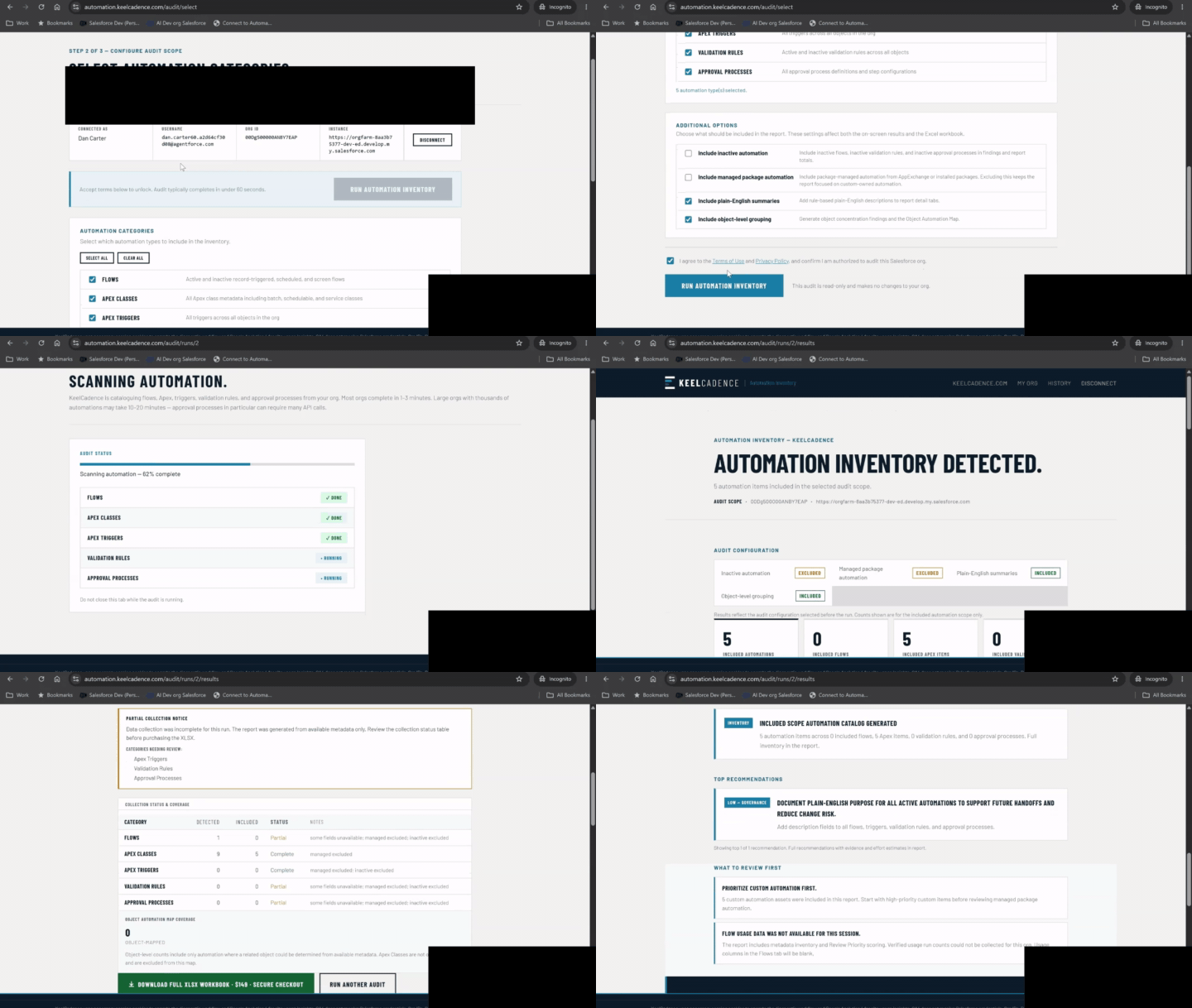
Need a full walkthrough?
Need the full walkthrough? Watch the tutorial showing how to add the bookmarklet, connect from Salesforce, run the diagnostic, and review results.
14 review-ready sheets.
Fictitious, anonymized demo data. Download the full sample workbook below to review every tab before you pay.
| Type | Item 1 | Item 2 | Name similarity | Confidence |
|---|---|---|---|---|
| Flow | Opportunity_Update_Flow | Opp_Update_Flow | 90% | High |
| Apex Trigger | AccountTrigger | AccountTriggerHandler | 62% | Medium |
| Validation Rule | Opp_Amount_Check | Opp_Amount_Check2 | 96% | High |
| Flow | Case_Assign | Case_Assignment_New | 84% | High |
Preview the full workbook before you run your audit. This sample was generated from fictitious demo data, so you can review all 14 tabs, findings, and review actions before purchasing.
Free on-screen summary is always included. Paid XLSX report is your org’s actual metadata inventory, $149.
Your real report includes your org’s actual metadata inventory with detected-vs-included counts, collection status, object-mapping coverage, modernization review candidates, and name-similarity duplicate candidates.
What this diagnostic can access, and what your account needs.
What this audit can access
- No package install required
- No Connected App setup required
- No persistent Salesforce access token stored
- Read-only, does not modify automation or org settings
- No customer records, files, attachments, emails, or transactional data exported
- Session-based access expires with your Salesforce session
- Audit reports retained for 90 days and deletable on request
- Salesforce credentials are never transmitted to or stored by KeelCadence
KeelCadence reviews Salesforce metadata and aggregate configuration signals. The report catalogs available automation metadata. It does not export Salesforce business record content.
What your account needs
- API access enabled on your Salesforce org
- Works through your active browser session
- System Administrator profile recommended for full automation visibility
- Lower-permission users may receive partial results depending on profile access
System Administrators will see all automation org-wide. Users with limited profiles may see only what their access allows.
Manual connect (advanced)
If you have a Salesforce Session ID from an API client or your IT team, you can paste it directly. Note: Chrome 130+ masks the sid cookie in DevTools, making this method unreliable for most users. The bookmarklet is the recommended approach.
Run the audit free. Download the full report only if it’s useful.
Free on-screen summary · Full XLSX report: $149
Ready when your Salesforce tab is.
Save the Connect button, open your org, and click the bookmark from the Salesforce tab. The free summary runs in about a minute.
Back to the steps Learn more about this workbook at keelcadence.com